Every course with goals, duration, dates, price and instructors — on its own page that Google can find.
Industries · Education
Websites for schools, universities and training centres
Prospective students and parents look for the same information: what is taught, when it starts, how long it lasts, what it costs and how to apply. A good website answers all of that before the phone rings.
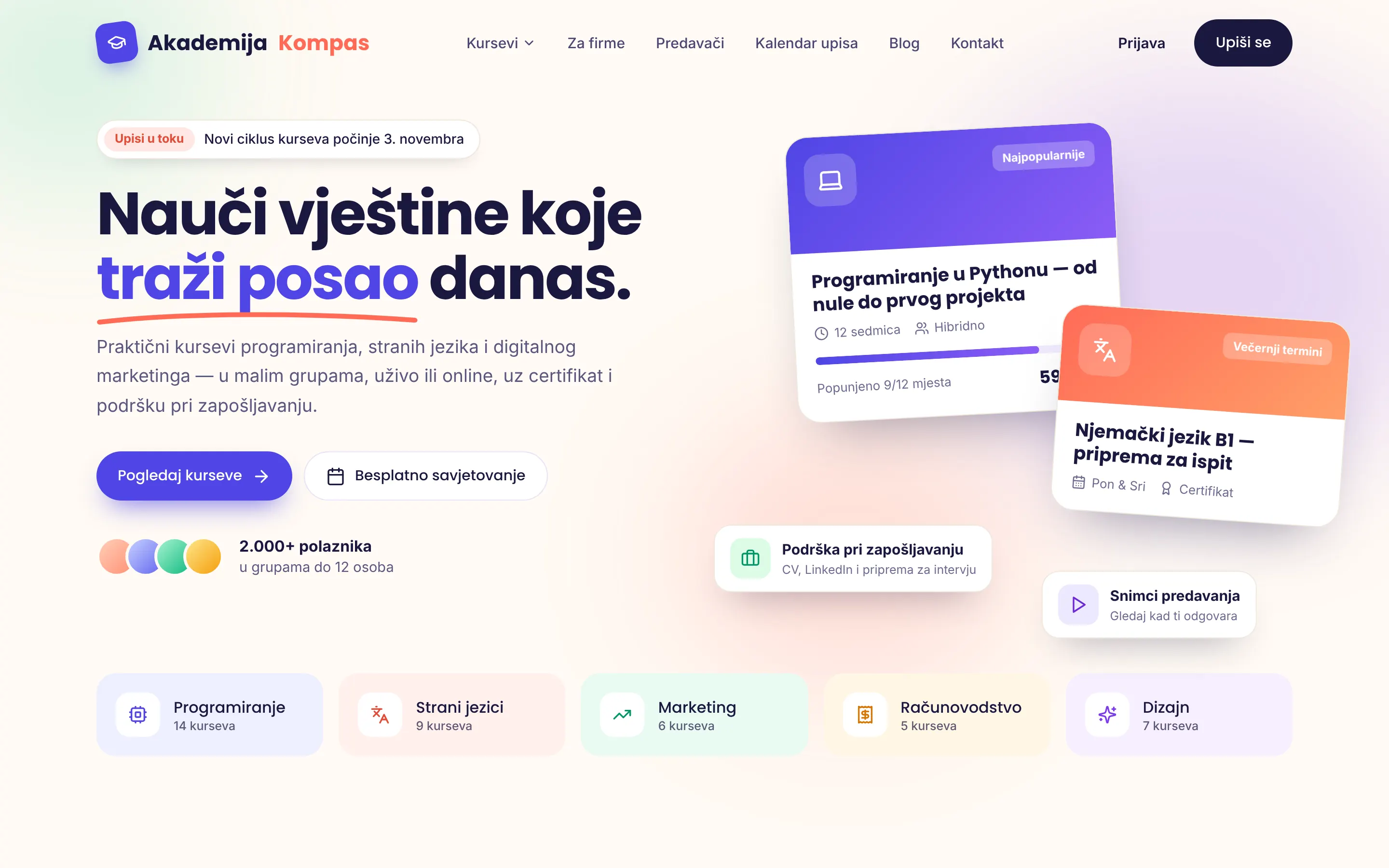
Home page concept · training centre
Priorities
What an education website needs
An educational institution’s website has two audiences: future students who need convincing and current ones who need information fast.
When the next group starts and how many places are left. The most common question — answered on the first screen.
Applying in a few steps, with automatic confirmation and reminders. Less paperwork, fewer phone calls.
Timetables, notices, documents and teacher contacts — for schools clearly separated from enrolment information.
What a participant gets at the end: a certificate, skills, career support — concrete and verifiable.
Readability, contrast and keyboard navigation — for every pupil, parent and teacher.
Concept
About the concept in the picture
The concept shows the home page of a training centre offering courses in programming, foreign languages and marketing. Elements that apply to almost any educational institution:
- An enrolment notice at the top — when the new cycle starts.
- Course cards with capacity and price — “9 of 12 places taken” informs and encourages sign-ups at the same time.
- Programme categories as a quick entry point for visitors who already know what they want.
- A warm, friendly palette — learning should feel approachable, not strict.
For universities and schools the structure is different (study programmes, departments, student services, documents), but the principle is the same: the most important information on the first screen, everything else clearly organised.
FAQ
Frequently asked questions
Can course applications be done online?
Yes. An application with the chosen course and date arrives by email or in a spreadsheet, with an automatic confirmation to the applicant. Waiting lists, group capacity and reminders before the start can be added as needed.
Can you build a platform for online teaching?
For most centres it’s best to connect the website to a proven e-learning platform (such as Moodle or Google Classroom) rather than build a new one from scratch. If you have specific needs — tests, certificates, attendance tracking — we can discuss a custom solution.
Can teachers publish news and schedules themselves?
Yes. Notices, schedules and new courses are published through a simple admin interface, without technical knowledge.
You might also find useful
-
Website development
Unique, fast websites for companies and sole traders — mobile-first, with technical SEO from day one.
Learn more -
Web apps and automation
Internal tools, dashboards, automated reports and system integrations — Python and JavaScript solutions that save hours of work.
Learn more -
Technology
WordPress or a custom website? An honest comparison
Speed, security, maintenance and total cost — when WordPress is a good choice and when a custom site wins.
Read the guide
Contact
Have a project in mind? Let's talk.
Describe your idea in a few sentences. I'll reply personally within 24 hours on business days, with clear next steps.
Emailinfo@engimotive.com
LocationZenica, Bosnia and Herzegovina
Working modeRemote — Europe and worldwide
What happens next: a reply with a few questions → a short call → a fixed quote. No obligation.